
ThinkTerm
Documentation in progress
Some sections are still incomplete.
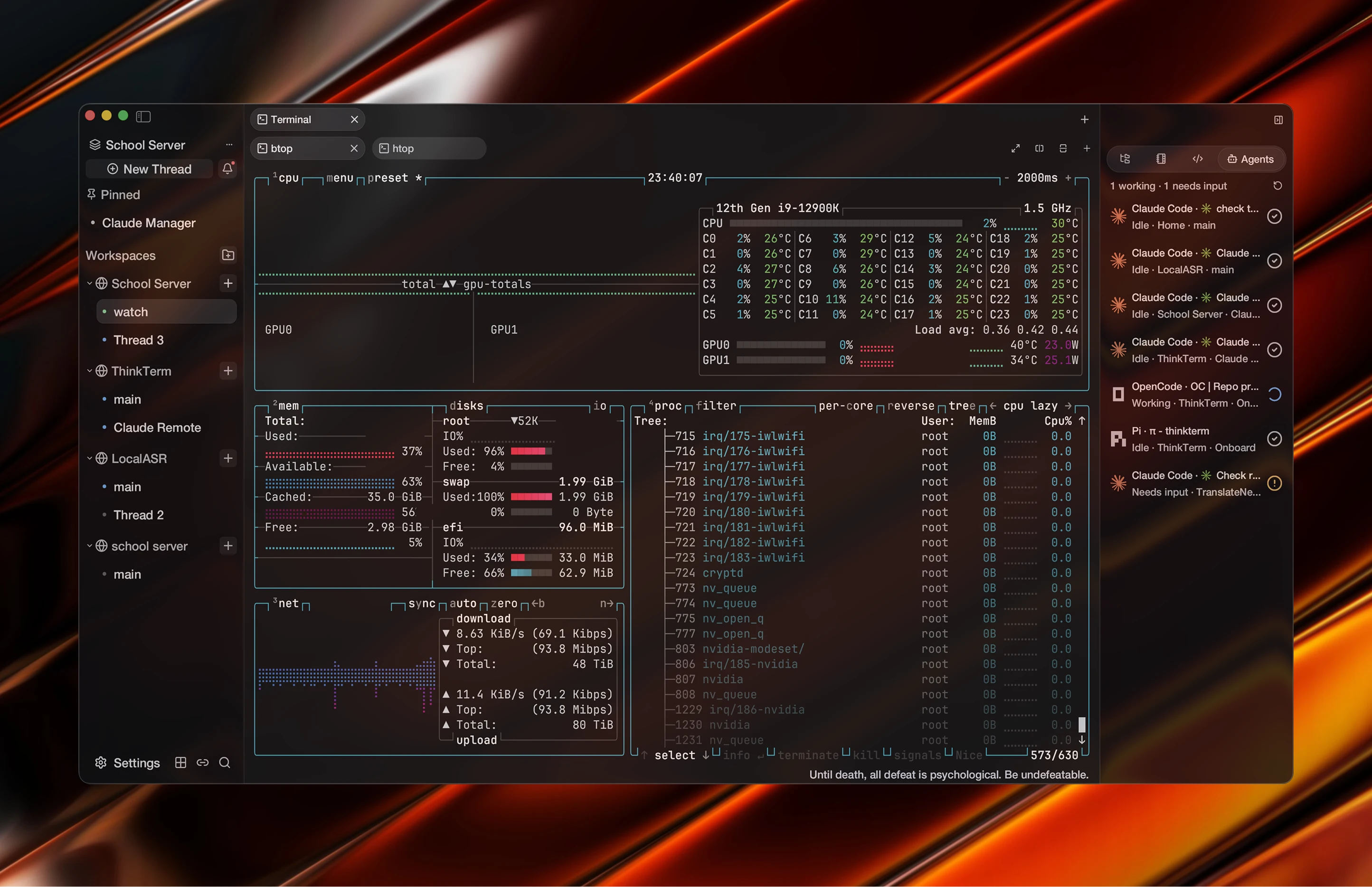
ThinkTerm is a workspace-first terminal for people who keep many long-running sessions open at once. It is built on WezTerm, and keeps its fast, low-memory terminal core.
Open five or six agents, each running a long task in a different project directory, and the tab bar stops being useful. A dozen tabs, all called zsh, each scrolling its own output. Which one is still working? Which is waiting on an answer from you? Which finished twenty minutes ago? The only way to find out is to click through them one at a time.
ThinkTerm organises sessions into three layers — Space, Project, and Thread — and gives every Thread its own live work status. That structure is held by a multiplexer server rather than by any one machine, so a laptop, a work dev box, and a VPS all appear in the same sidebar, and closing one of them does not end the work running on it.
Documentation
- Install — the install script, what each download contains, and the first launch
- The Window — the sidebar, the Live Overview, the colours ThinkTerm paints, and how the scrollback moves
- Spaces, Projects and Threads — the three layers of the sidebar, pinning, references, archiving, and what deleting ends
- Keyboard and Commands — the shortcuts ThinkTerm adds, the command palette, the menus, and actions you can bind
- Remote — the SSH host book, connecting over SSH, Mosh or ThinkTerm Connect, saved password encryption, and how sessions survive a disconnect
- Web — serving the same workspace to a browser, the link that admits one, and what the page can and cannot do
- Files and Notes — browsing and transferring files over SFTP, and the Markdown editor bound to an Obsidian-compatible Vault
- Plugins — what a plugin is, where it shows up, how long it runs, and what it may do on another machine
- Agent Status — how a session is judged to be working, waiting on you, or idle, and how a program reports its own state
- Command Line — the
thinktermbinary and the subcommands that address a running multiplexer - TUI — the same workspace inside a plain terminal
- Configuration — config file locations, per-platform data directories, and importing from WezTerm
- Updates — checking and installing updates, why the install method decides who replaces the files, and updating a remote server without ending its sessions
- Privacy and Security — what leaves the machine and when, what is kept on disk, and how to report a security problem
The terminal itself — rendering, fonts, escape sequences, colour schemes — is WezTerm's, and its documentation applies unchanged.