
LaunchNext
LaunchNext is the most feature-complete and best-performing open-source, free macOS Launchpad replacement.
Download
- Releases: Download LaunchNext
- Project: LaunchNext repository
Optional Homebrew install, if you already use Homebrew:
brew tap RoversX/homebrew-tap
brew install --cask launchnext
Screenshots
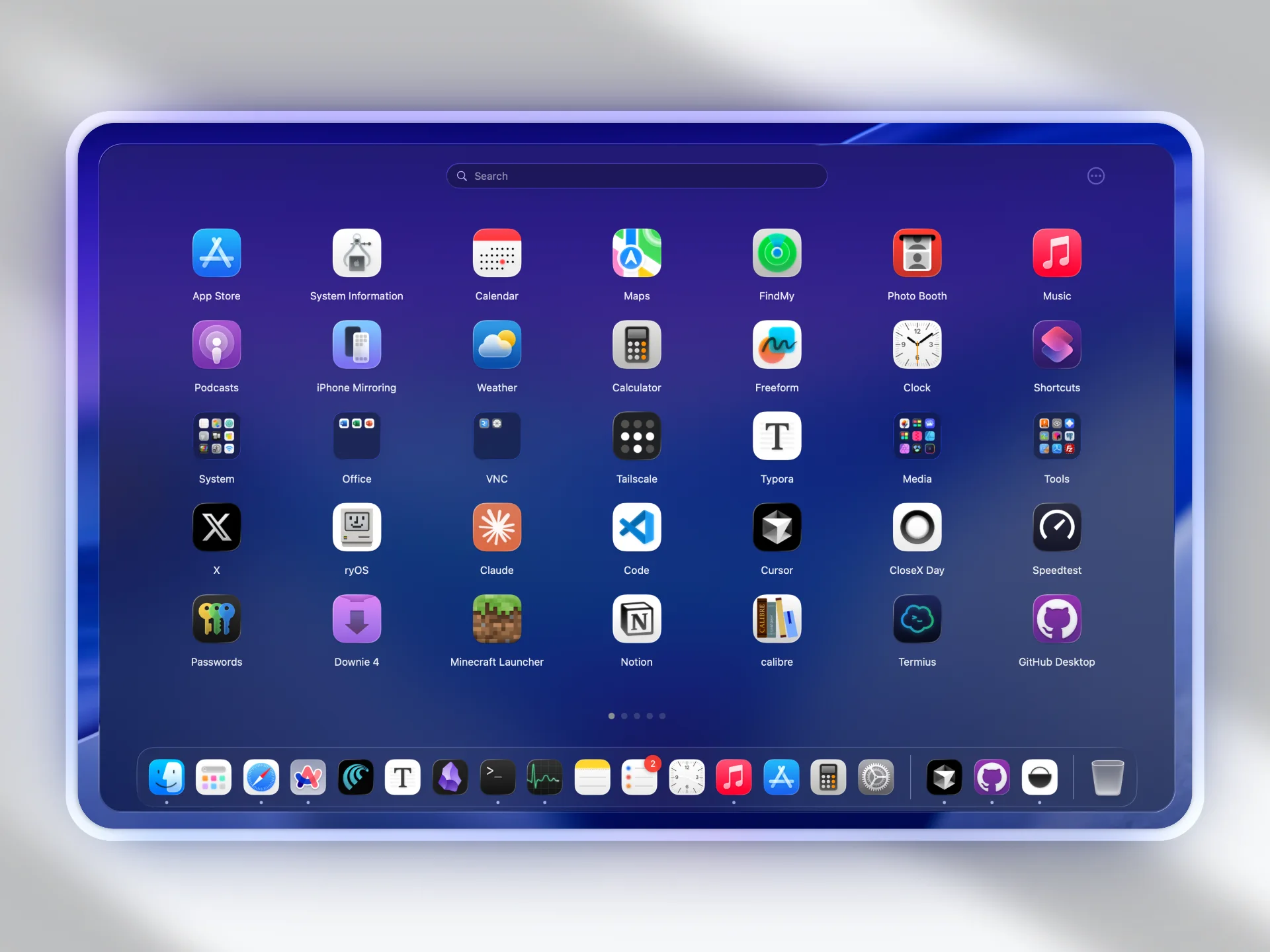
Why LaunchNext matters
LaunchNext exists to bring back a fully customizable launcher workflow on modern macOS:
- Native Launchpad workflow changed in macOS Tahoe.
- Default alternatives are less flexible for personal app organization.
- LaunchNext restores drag-and-drop layout control, folder workflows, and fast navigation.
What LaunchNext delivers
- One-click import from your old Launchpad layout and folders
- Classic Launchpad-style interaction model
- Multi-language support
- Hide icon labels when needed
- Adjustable icon sizing and folder layout modes
- Core Animation grid and folder rendering for smoother large layouts
- Folder management with drag-and-drop organization
- Right-click app and folder actions for Finder, path copy, hiding, rename, dissolve, and uninstall workflows
- Dock drag handoff, Hot Corner, and configurable experimental trackpad gestures
- Fuzzy search, keyboard navigation, and Return-to-open search results
- Built-in updater with in-app Markdown release notes
- CLI and TUI workflow for power users, automation, and AI agents
Requirements
- macOS 26 (Tahoe) or later
- Apple Silicon or Intel
- Xcode 26 (for source builds)
Installation notes
Download the app from Releases first. This is the most direct path for most users.
If macOS blocks startup (common for unsigned apps):
sudo xattr -r -d com.apple.quarantine /Applications/LaunchNext.appRun this command only for apps you trust.
If you prefer terminal-based app management, you can install with Homebrew:
brew tap RoversX/homebrew-tap
brew install --cask launchnext
Build from source
git clone https://github.com/RoversX/LaunchNext.git
cd LaunchNext
open LaunchNext.xcodeproj
Command-line build:
xcodebuild -project LaunchNext.xcodeproj -scheme LaunchNext -configuration ReleaseUniversal binary build:
xcodebuild -project LaunchNext.xcodeproj -scheme LaunchNext -configuration Release ARCHS="arm64 x86_64" ONLY_ACTIVE_ARCH=NO clean buildData storage
~/Library/Application Support/LaunchNext/Data.store
Native Launchpad integration
LaunchNext reads the native Launchpad database:
/private$(getconf DARWIN_USER_DIR)com.apple.dock.launchpad/db/db
This allows importing your previous app positions, pages, and folder structure.
Quick start
- Download LaunchNext from Releases and open it.
- Launch LaunchNext and wait for the first app scan.
- Open Settings and run
Import Launchpad. - Tune layout, appearance, shortcuts, and performance settings.
- If anything behaves unexpectedly, check troubleshooting first.