
LaunchNext
LaunchNext 是目前功能最完整、性能最强的开源免费 macOS Launchpad 替代方案。
下载
- 发布页:下载 LaunchNext
- 项目地址:LaunchNext 仓库
截图
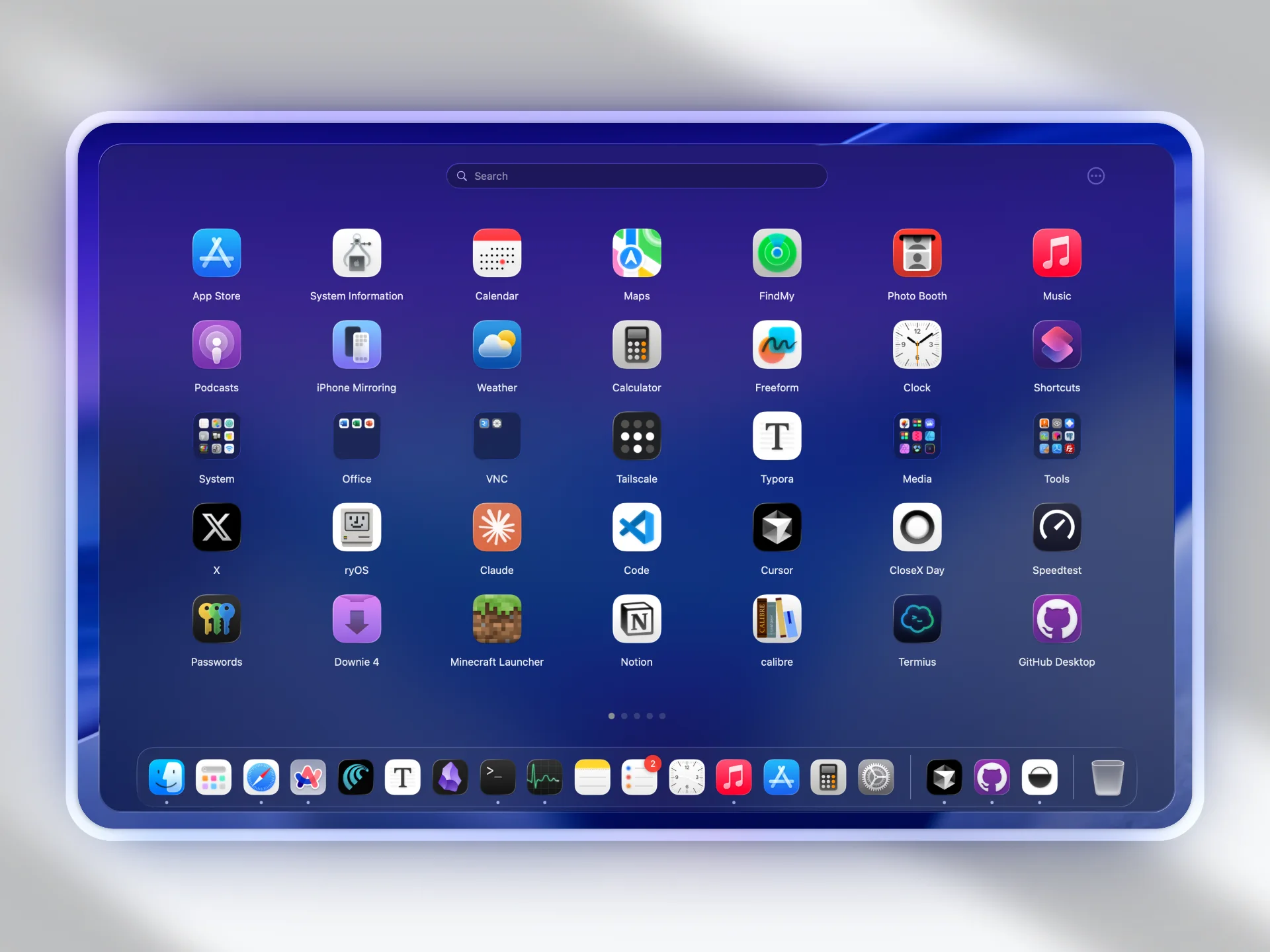
为什么是 LaunchNext
LaunchNext 的目标是在现代 macOS 上带回“可完全自定义”的启动器工作流:
- 原生 Launchpad 在 macOS Tahoe 中发生了明显变化。
- 默认替代方案在个人化应用组织上灵活性不足。
- LaunchNext 恢复了拖拽布局控制、文件夹工作流和高效导航。
LaunchNext 提供了什么
- 一键导入旧 Launchpad 页面与文件夹布局
- 经典 Launchpad 交互模型
- 多语言支持
- 可按需隐藏应用名称
- 可调图标尺寸
- 支持拖拽管理文件夹与应用分组
- 支持拖拽到 Dock、热角以及实验性的四指手势
- 搜索与键盘导航
- 内建更新器,并可在应用内直接查看 Markdown 格式的 Release Notes
- 提供 CLI / TUI 终端工作流,方便高级用户与自动化
要求
- macOS 26(Tahoe)或更高
- Apple Silicon 或 Intel
- Xcode 26(源码构建时)
安装说明
如果 macOS 阻止启动(未签名应用常见):
bash
sudo xattr -r -d com.apple.quarantine /Applications/LaunchNext.app仅对你信任的应用执行该命令。
从源码构建(README 流程)
bash
git clone https://github.com/yourusername/LaunchNext.git
cd LaunchNext
open LaunchNext.xcodeproj
命令行构建:
bash
xcodebuild -project LaunchNext.xcodeproj -scheme LaunchNext -configuration Release通用二进制构建:
bash
xcodebuild -project LaunchNext.xcodeproj -scheme LaunchNext -configuration Release ARCHS="arm64 x86_64" ONLY_ACTIVE_ARCH=NO clean build数据存储
~/Library/Application Support/LaunchNext/Data.store
原生 Launchpad 集成
LaunchNext 会读取原生 Launchpad 数据库:
/private$(getconf DARWIN_USER_DIR)com.apple.dock.launchpad/db/db
因此可以导入你之前的应用位置、页面和文件夹结构。
快速开始
- 启动 LaunchNext 并等待首次扫描完成。
- 打开设置并执行
Import Launchpad。 - 调整布局、外观和性能参数。
- 若出现异常行为,先查看排障文档。